

Claude Design in Bangladesh: Your New Creative Teammate
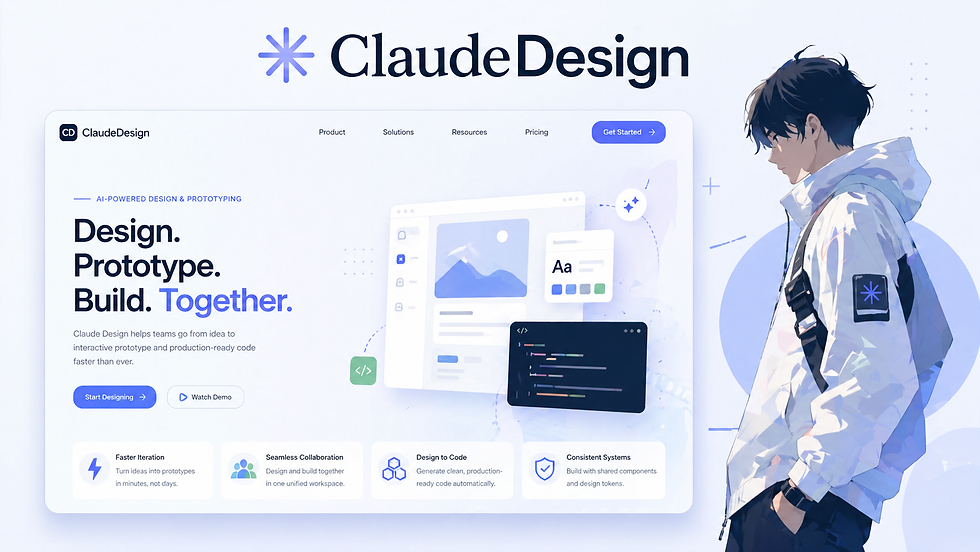
Alright, imagine this. Instead of juggling static mockups, endless Slack threads, and that one Figma file nobody updates properly, you are simply talking your ideas into existence and watching them turn into polished designs. That is essentially what Claude Design, created by Anthropic and launched in April 2026, is bringing to the table. It is powered by models like Claude 3.5 Sonnet and Opus 4.7, and it feels less like a tool and more like a creative partner that actually understands your product. Let’s talk about why that matters and why it is quietly reshaping how software gets designed.
This is still an early look from our design team, and we are approaching it with a mix of curiosity and cautious excitement. We already rely on a solid toolkit that includes Illustrator, Figma, Canva, and others for our day-to-day work. Those tools are not going anywhere, and they remain essential for precision, control, and craft.
What is interesting here is not replacement, but expansion. AI-assisted design tools like Claude Design open up new ways for us to explore ideas faster, iterate more freely, and reduce some of the friction between concept and execution. Instead of spending time translating thoughts into pixels step by step, we can focus more on direction, storytelling, and decision making. We are especially excited about how this could make us both more creative and more efficient at the same time. The ability to quickly test ideas, generate variations, and collaborate across roles without the usual bottlenecks could change how we approach design work altogether. It is early days, but the possibilities are hard to ignore.
It actually knows your design system

One of the biggest differences with Claude Design is that it does not treat every request like a blank slate. During setup, it reads your codebase and design files so it can understand your colors, typography, and component patterns. That means when you ask it to create something, it is not guessing. It is building within the structure your team already uses. Instead of getting a cool but unusable mockup, you get something that already fits your product and feels consistent with everything else. It feels a bit like working with a teammate who has already memorized your entire design system.
The workspace feels like a conversation
The interface itself is surprisingly simple. There is a conversation panel on one side and a live canvas on the other. You describe what you want, tweak it, leave comments, and refine things as you go. There is no constant switching between tools or exporting files back and forth. Everything happens in one place, and the design evolves as the conversation continues. It turns design into something much more fluid and interactive, almost like sketching ideas out loud and seeing them appear instantly. The tool can enhance your design prompts, making it easier to get the desired output. Ideal for quickly creating prototypes and mockups.
The design process stops being linear
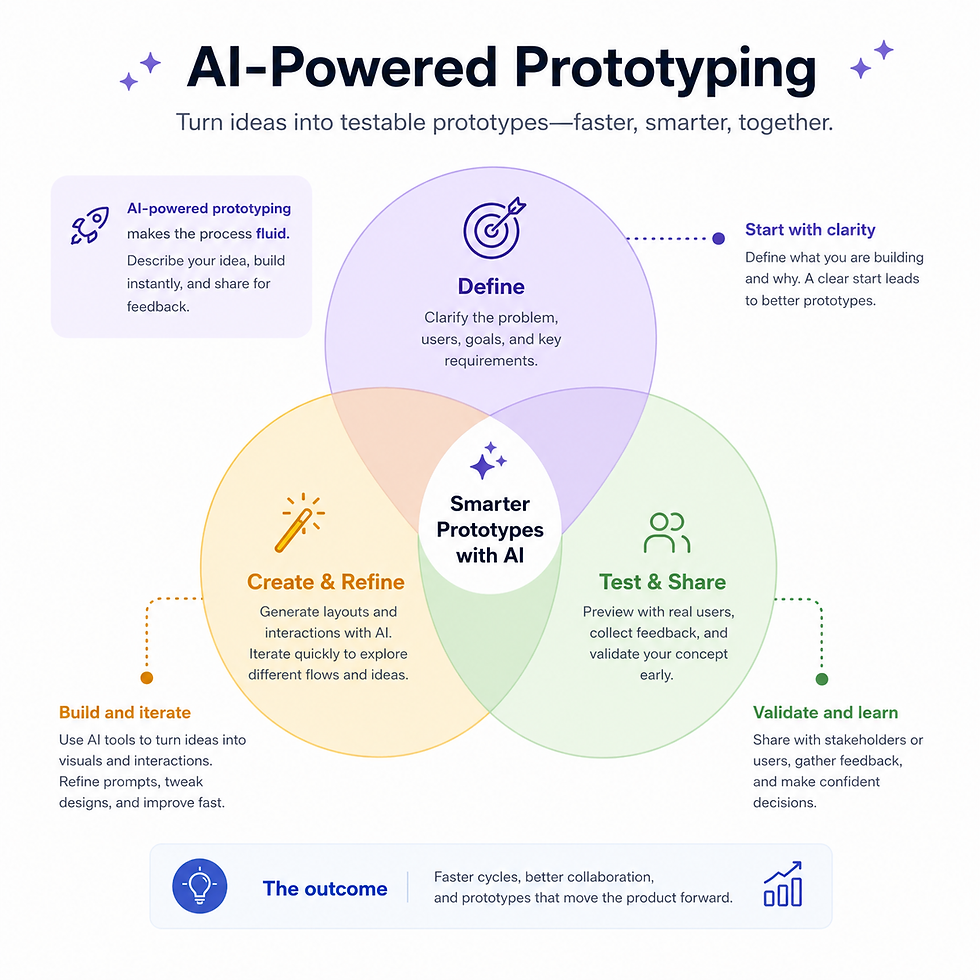
Traditionally, design follows a pretty rigid sequence. You come up with an idea, turn it into mockups, review it, revise it, and eventually hand it off to engineering. Each step takes time, and a lot of that time is spent translating ideas between tools and teams.
Claude Design changes that rhythm. The process becomes a continuous loop of idea, prototype, and refinement happening in real time. Teams can move from concept to something testable in a single session instead of stretching it across days.
Because the output is interactive rather than static, it can be shared and tested immediately. That removes a lot of the friction that usually shows up between design and development.
More people can participate in design
Another interesting shift is who gets to design. You no longer need deep expertise in

tools like Figma to create something that looks and behaves like a real product.
Product managers, founders, and marketers can all jump in and prototype ideas directly. This does not replace designers, but it changes how they spend their time. Instead of focusing on repetitive production work, they can concentrate on higher level decisions and system thinking. It also means ideas can move faster because fewer people are waiting in line for someone else to translate them into visuals.
Claude design in Bangladesh: From design to code feels way smoother
One of the most frustrating parts of software development has always been the handoff between design and engineering. Mockups get interpreted differently, details get lost, and teams end up going back and forth to clarify intent. Claude Design reduces that gap by packaging designs into structured outputs that can be passed directly into tools like Claude Code. Components and design tokens are already aligned with the system, so the transition into code is much closer to production ready. Developers spend less time guessing what a design is supposed to do and more time actually building it.
From a Bangladesh perspective, this shift feels especially relevant. Many teams here, including ours at Kaz Software, operate across a wide range of design and development touchpoints. On any given project, the work can span graphic design, UX research, interaction design, wireframes, mockups, and full product design, all the way through to web development and front-end usability improvements. That breadth of responsibility means handoffs are not just frequent, they are critical. In practice, a lot of effort goes into keeping design intent intact as it moves from early exploration to production. Even with well-defined processes, there is always a layer of interpretation when a static design becomes a working interface. That is where tools like Claude Design start to feel less like a novelty and more like a natural evolution. By tightening the connection between design artifacts and code, they reduce the translation step that teams have traditionally had to manage manually.
Bangladesh’s design ecosystem in the age of AI
Claude design in Bangladesh: Bangladesh has quietly become a strong contributor to the global design ecosystem, with freelancers, agencies, and in-house teams working across graphic design, UX research, user interaction design, wireframes, mockups, product design, and even front-end development and usability improvements. One of the defining advantages of the Bangladeshi design scene is its ability to deliver high-quality work at a comparatively lower cost than Western and European markets, while still maintaining strong communication, adaptability, and a deep understanding of user needs. Designers here often operate across multiple stages of the product lifecycle, which adds significant value by reducing friction between concept, design, and implementation. Teams like Kaz Software reflect this broader trend, combining design and development capabilities in a way that emphasizes both efficiency and cohesion, making them well positioned to take advantage of emerging AI-assisted tools that further streamline the journey from idea to production.
The line between designer and developer starts to blur

As tools like this become more common, the roles themselves begin to shift. Designers can generate front end components without writing everything manually, and developers can shape interfaces without relying entirely on separate design tools.
This overlap is often described as design engineering. It is less about replacing roles and more about bringing them closer together. The focus shifts toward maintaining strong systems and making better decisions instead of manually producing every detail.
It is not perfect, and that is important
There are still some real limitations to keep in mind. Claude Design is only as good as the inputs it receives. If your design system or codebase is messy, the output will reflect that. There is also the risk of relying too heavily on automation. If people stop thinking about fundamentals like spacing, hierarchy, or accessibility, the quality of design decisions can suffer. And even though the outputs can look convincing, they still need human review. A design that looks good is not always one that works well in practice. Claude Design can be very token-heavy, leading to quick depletion of usage limits. The tool often produces generic designs, which may not be ideal for unique or specific design needs.
So what is really changing
The biggest shift is not just speed or convenience. It is the way design itself is framed.
Claude Design turns design from a tool driven process into an ongoing conversation. Ideas can be explored quickly, refined collaboratively, and translated into working systems with far less friction. In the end, it is not just helping teams design faster. It is changing how they think about design in the first place.


